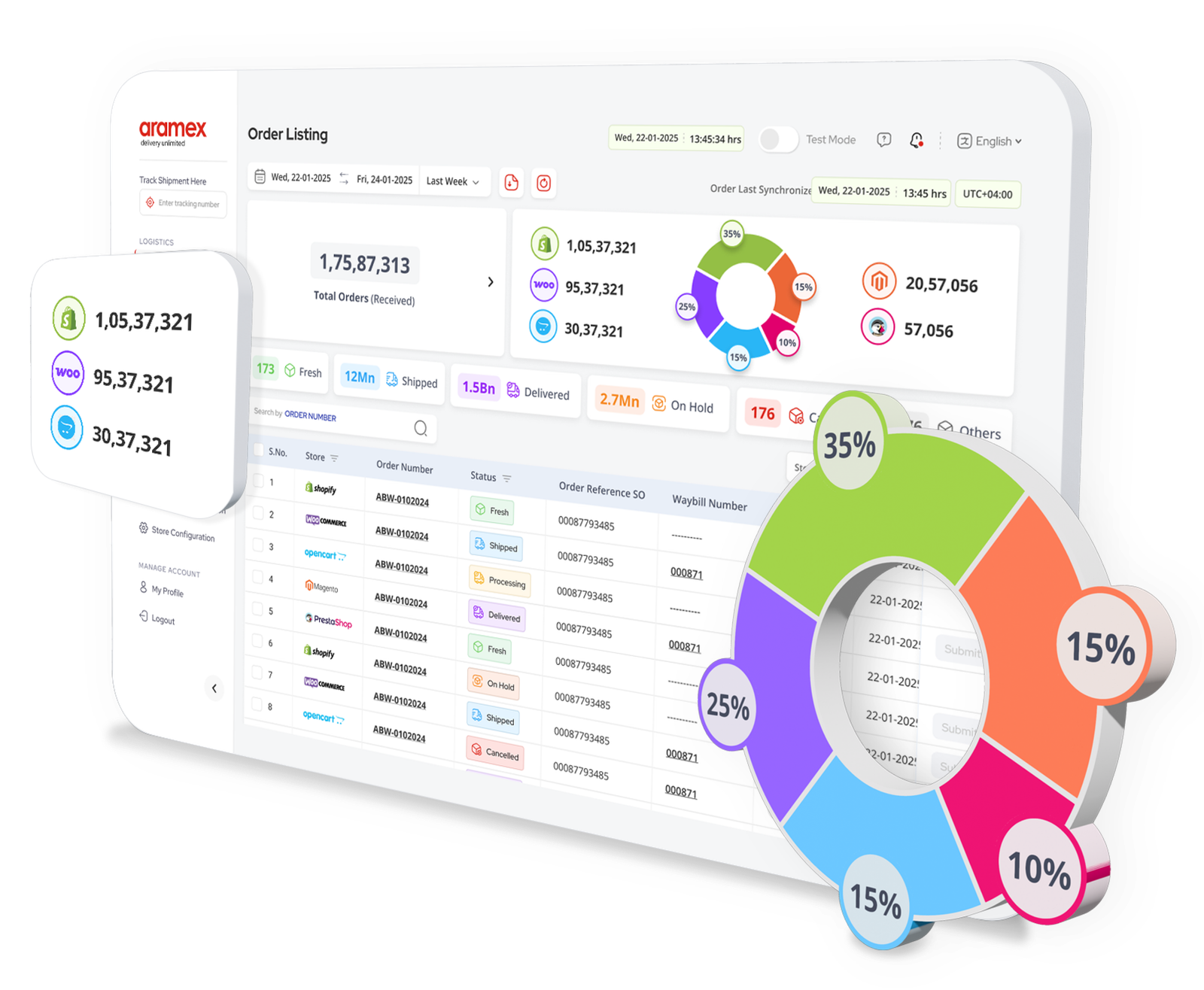
Everything you need to ship, track, and grow—without the friction

Seamless fulfillment from order to delivery
Automate order syncing, label generation, pickups, and live tracking.
Automate order syncing, label generation, pickups, and live tracking.

Transparent pricing
Check rates as per product categorization.
Check rates as per product categorization.

Effortless returns and updates
Manage returns and receive status updates on your orders and shipments.
Manage returns and receive status updates on your orders and shipments.

Faster setup and integration
Use the test mode to experience the features of the new commerce platform with no risks.
Use the test mode to experience the features of the new commerce platform with no risks.

Clear visibility into operations
View order history, stock status, and shipping performance across multiple ecommerce stores in one dashboard.
View order history, stock status, and shipping performance across multiple ecommerce stores in one dashboard.

COD support and secure settlements
Handle COD orders, including displaying collectable amounts and delivery confirmation.
Handle COD orders, including displaying collectable amounts and delivery confirmation.
Smart features for smarter selling
Shipping & fulfilment
Automate shipping labels, schedule pickups, and track deliveries in real-time. Choose from multiple carriers and service types to suit your needs.
Order & checkout management
Manage orders from multiple sales channels in one place. Sync inventory, process orders, and handle checkouts seamlessly across all your stores.
Payments & taxes
Handle COD orders, manage payment gateways, and calculate taxes automatically. Display collectable amounts and confirm deliveries securely.
Integration & setup
Connect your store with a simple setup wizard. Use test mode to explore features risk-free before going live.
Inventory & logistics
View order history, stock status, and shipping performance across multiple ecommerce stores in one unified dashboard.
Returns handling
Manage returns and receive status updates on your orders and shipments. Automate return labels and track return shipments effortlessly.
Support & learning
Access comprehensive guides, tutorials, and dedicated support to help you get the most out of your e-commerce fulfillment platform.

How it works
Sign up for an Kazt Logistics Business Account
Before connecting your store, you will need to sign up for an Kazt Logistics Business Account.Install the app or extension
Find the portal on your platform's marketplace and click "Install."Get access
Contact your account manager to complete registration on the portal.Connect your store
Authorize access with your Kazt Logistics Business Account details and sync your order data.Configure your settings
Use the setup wizard to define shipping zones, carriers, payment gateways, and more.Start shipping
Submit orders, print labels, track shipments, and manage returns—all from one dashboard.
Set up once. Ship better forever.
Integrations available across leading platforms. Set up your business account to get started.
No setup fees. No delays. Just better fulfillment.

WooCommerce

Magento

Shopify

Prestashop

Opencart

Zid
Coming soon
Coming soon

Salla
Coming soon
Coming soon
How can we assist?
Common questions (FAQs)
How do I integrate my e-commerce store?
Sign up for an Kazt Logistics Business Account, install the app or extension from your platform's marketplace, and follow the setup wizard to connect your store.
Which platforms are supported?
We currently support WooCommerce, Magento, Shopify, Prestashop, and Opencart. Zid and Salla integrations are coming soon.
What do I need to get started?
You need an Kazt Logistics Business Account. Once you have that, install the app from your platform's marketplace and follow the setup wizard.
Is there a cost?
No setup fees. No delays. Just better fulfillment. You only pay for the shipping services you use.
What do I need to use the integration?
You need an active Kazt Logistics Business Account and a supported e-commerce platform. The setup wizard will guide you through the rest.
How long does it take to set up?
Setup typically takes just a few minutes. Install the app, connect your store, configure your settings, and start shipping.
Does it support international shipping?
Yes, the platform supports both domestic and international shipping across Kazt Logistics's worldwide network.
How do I manage returns and refunds?
The platform includes a returns management module. Automate return labels, track return shipments, and process refunds from one dashboard.
Is there a test mode?
Yes, you can use the test mode to experience all features of the platform with no risks before going live.
Where can I get help?
Contact your account manager or reach out to our support team. You can also access comprehensive guides and tutorials within the platform.